Read the red border, green panel and white crescent
The Maldives national flag has a red outer border surrounding a green rectangle, with a white crescent in the center. The crescent opens toward the outer edge away from the flagpole. In the usual flagpole-left display, its opening faces right.
Read the shapes from outside inward. The green panel is inside the red outer area, and the white device is inside the green panel. Do not reduce the design to a red-and-green split field or replace the crescent with a solid disc.
The Maldives flag reference describes the national arrangement. It does not provide the exact digital colors accepted by Color My Flag.
Work from outside toward the center
| Part | Intended color | Relationship to inspect |
|---|---|---|
| Outer area | Red | Surrounds the green rectangle |
| Inner rectangle | Green | Sits within the red border |
| Crescent | White | Lies inside the green panel |
| Crescent opening | Toward the fly | Faces away from the flagpole side |
Use those relationships to recognize the visible template. Check the current controls before trying to resize the panel, draw the crescent or rotate the supplied shape.
A correct white device alone is not enough if you assigned green to the whole field. Check that the red outer area remains distinct from the inner rectangle.
Separate a crescent from a disc
A crescent has an opening and curved arms; a solid circle does not. If you remember only a pale central shape, inspect that distinction before selecting colors.
The opening direction is another recognition check. With the flagpole on the left, the opening belongs toward the right. Do not mirror the device in your mental model just because the color choices are familiar.
The Bangladesh guide covers a different green-field design with a red disc. It can help you compare the shapes, but its solid-circle and background relationship does not supply the Maldives arrangement.
Review the border before adjusting the green
Scan the outer edges and corners first. Those belong to the red border. Then inspect the green rectangle and the white crescent inside it.
If the outer region is green by mistake, correct that assignment before fine-tuning the green shade. If the crescent has the panel’s green instead of white, address the device separately. Changing brightness cannot repair a background-device substitution.
The color picker guide explains how to choose the intended color family before adjusting tone. A visible HEX readout alone does not tell you the correct color for this flag.
Finish with an opening-direction check
Before submitting, review the nested order from red outer area to green panel to white device. Then confirm that you recognized the crescent’s opening toward the outer edge.
If the Maldives prompt returns, preserve the correct structure while changing one selection that looked wrong. Do not alter the nesting and all shades together merely because the previous percentage was below your target.
Watch the actual countdown and leave time for the center check. Follow this order to keep track of the separate regions. Check the mode rules before assuming that one region has more scoring weight. Use the accuracy guide to interpret the result without assuming a guaranteed perfect palette.
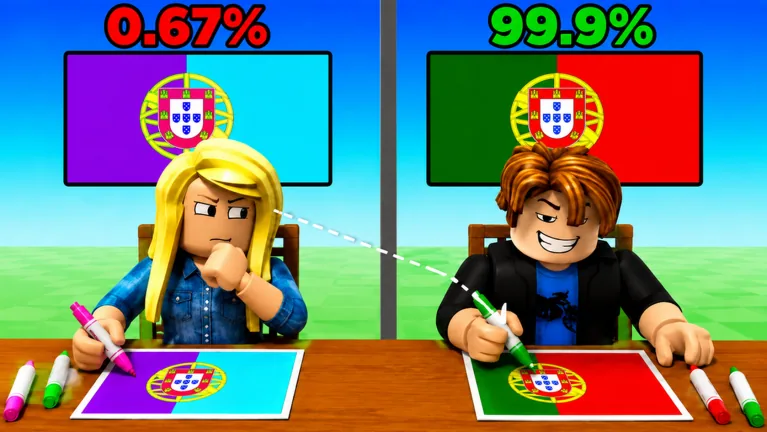
The gameplay clip below includes player attempts. Watch how the interface works, then compare the attempts with the layout above. The clip does not supply an official answer key.
FAQ
What color surrounds the green rectangle?
Red. The national design has a red outer border around the green inner panel.
What color is the crescent?
White. It is distinct from the green panel behind it.
Which way does the crescent open?
Toward the edge away from the flagpole. In the usual flagpole-left display, the opening faces right.
Does this guide show a tool for editing the crescent?
No. It explains recognition of the national shape and the supplied template. Use the current game controls without assuming a drawing, resizing or rotation feature.